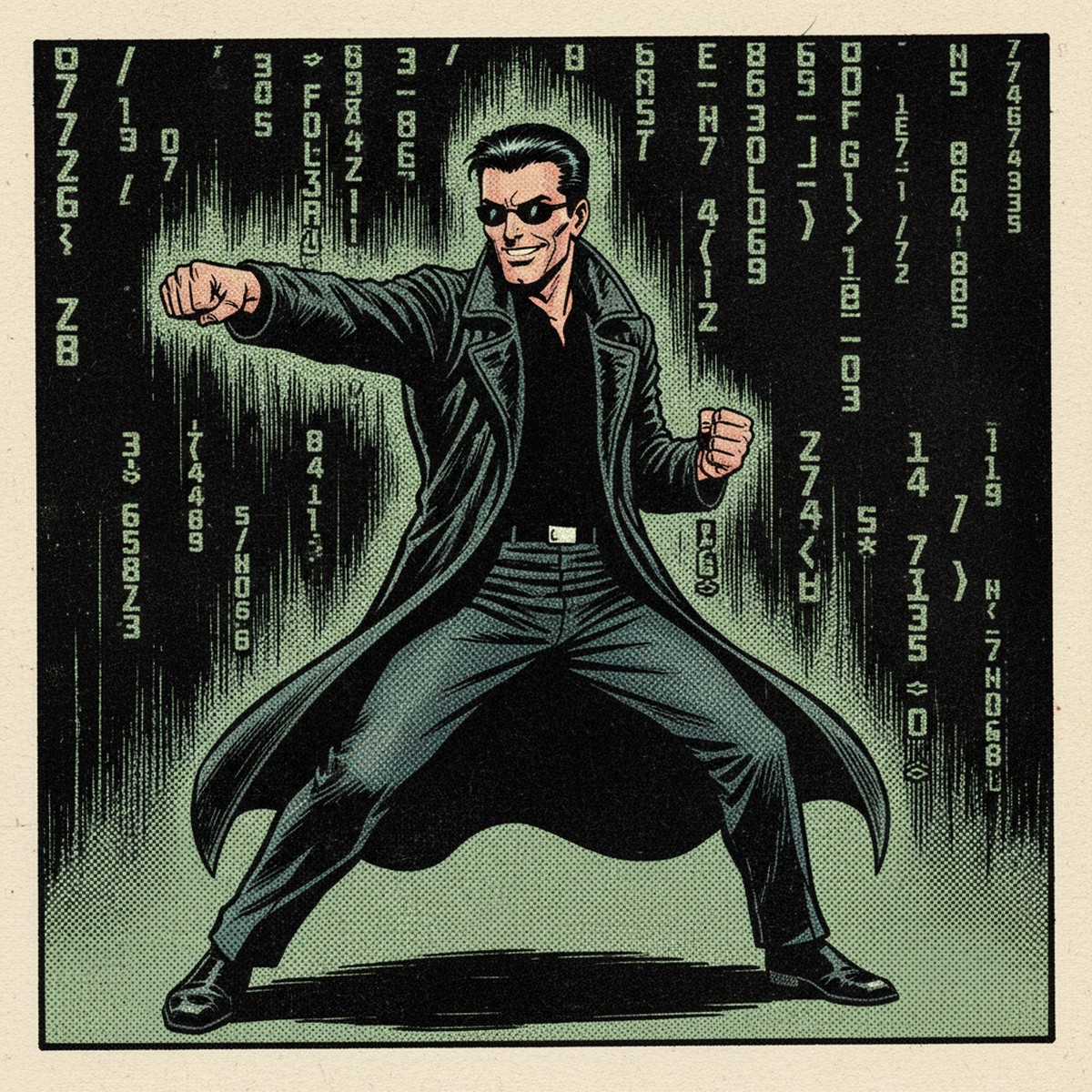
There's a scene in The Matrix where Neo sits in a chair, eyes closed, and Tank loads a combat program directly into his brain. Green data streams across a screen. Neo's body twitches. He opens his eyes and says: "I know Kung Fu."
That moment is what a skill does for your AI.
The problem you've probably hit
You use ChatGPT or Claude for work. You ask it to write a quote, draft a report, format a client email. The first time, it's decent. The second time, the format is different. The third time, the tone shifts. Same prompt, different result.
This isn't a bug. It's how these models work by default. ChatGPT has a memory feature and Claude lets you set up projects with custom instructions. But neither handles task-specific workflows well. They don't know that your site survey reports always need the same eight sections, in the same order, with the same headings. So every time you start a new chat, you're re-establishing the format.
If you've ever re-typed the same instructions into a chat box for the fifth time in a week, you've already felt the problem. The answer is a skill.
What is a skill?
A skill is a folder containing a text file. That's the minimum. The file, called SKILL.md, has instructions that tell your AI how to handle a specific task. When the task comes up, the AI reads the file and follows the instructions.
Think about the Matrix again. Tank doesn't teach Neo Kung Fu. He loads a program. The program contains everything Neo needs to know. Neo doesn't have to figure out the moves each time. He just does them.
A skill file works the same way. Instead of explaining your process to your AI every single time, you write it once. The AI loads it, applies it, and produces consistent output. Not because it got smarter. Because it now has instructions.
Skills vs prompts vs custom instructions
These terms get mixed up. Quick distinction:
- A prompt is what you type into the chat box. It's one-off. Next chat, gone.
- Custom instructions (ChatGPT) or system prompts are general rules that apply to every conversation. Useful but broad. They don't handle task-specific workflows.
- A skill is task-specific. It only loads when the task is relevant. It can contain a detailed workflow, a checklist, a template, reference files, even scripts. It's the difference between "be helpful" and "when I give you site survey notes, produce a report with these eight sections in this order."
The key word is repeatable. A skill makes the output repeatable across sessions, across team members, across weeks.
Why use one?
If you're doing the same task more than once, a skill saves you time. Specifically:
- Repetitive tasks: If you're writing the same type of report, quote, or email every week, a skill encodes the format once.
- Consistency: Your team gets the same output structure regardless of who's asking the AI.
- Speed: No re-explaining. No re-prompting. Paste the input, get structured output.
- Sharing: A skill file is portable. You can hand it to a colleague. They get the same results.
For engineering and contracting firms, the obvious candidates are: site survey reports, quote generation from client emails or voice notes, staff rosters, document review checklists, method statement drafts. Any task where the output format matters and the input varies.
How to create your first skill in the Claude desktop app
You don't need a command line. You don't need to be a developer. The Claude desktop app has skill support built in. You write a text file.
Step 1: Open Claude and go to Skills
Open the Claude desktop app. Go to Customize > Skills. You'll see any skills that are already active.
Make sure code execution and file creation are enabled in Settings > Capabilities. Skills need these to function.
Step 2: Create a new skill
Click + Create skill. Give it a name — something that describes the task. "Site Survey Report Writer" for example.
Step 3: Write the instructions
Claude will open an editor. This is where you write what the skill does. Here's a complete example for a site survey report writer:
---
name: site-survey-report-writer
description: "When the user provides raw notes or a voice transcript from a site survey visit, generate a structured site survey report."
---

# Site Survey Report Writer

## When to use
When the user shares raw notes, bullet points, or a voice transcript from a site survey.

## Report structure
Generate the report with these sections, in this order:

1. Project details: project name, date, site, surveyor
2. Scope: what was surveyed and why
3. Site conditions: weather, access, existing equipment
4. Findings: numbered list of observations, each with:
   - Location
   - Description
   - Condition (good / fair / poor)
   - Action required
5. Measurements: key dimensions, distances, quantities
6. Recommendations: numbered, prioritised
7. Photos: reference attached photos where available
8. Sign-off: surveyor name, date, next steps

## Rules
- Use plain English, not jargon
- Short sentences
- Flag anything that needs follow-up
- If information is missing, note it as "to be confirmed"
- Never invent measurements or findings
Save the skill. It's now active.
Step 4: Use it
Start a new chat and paste your raw site survey notes. Claude reads the skill description, recognises the task, loads the full instructions, and produces a report in the structure you defined. With a specific, well-written description, this is highly consistent.
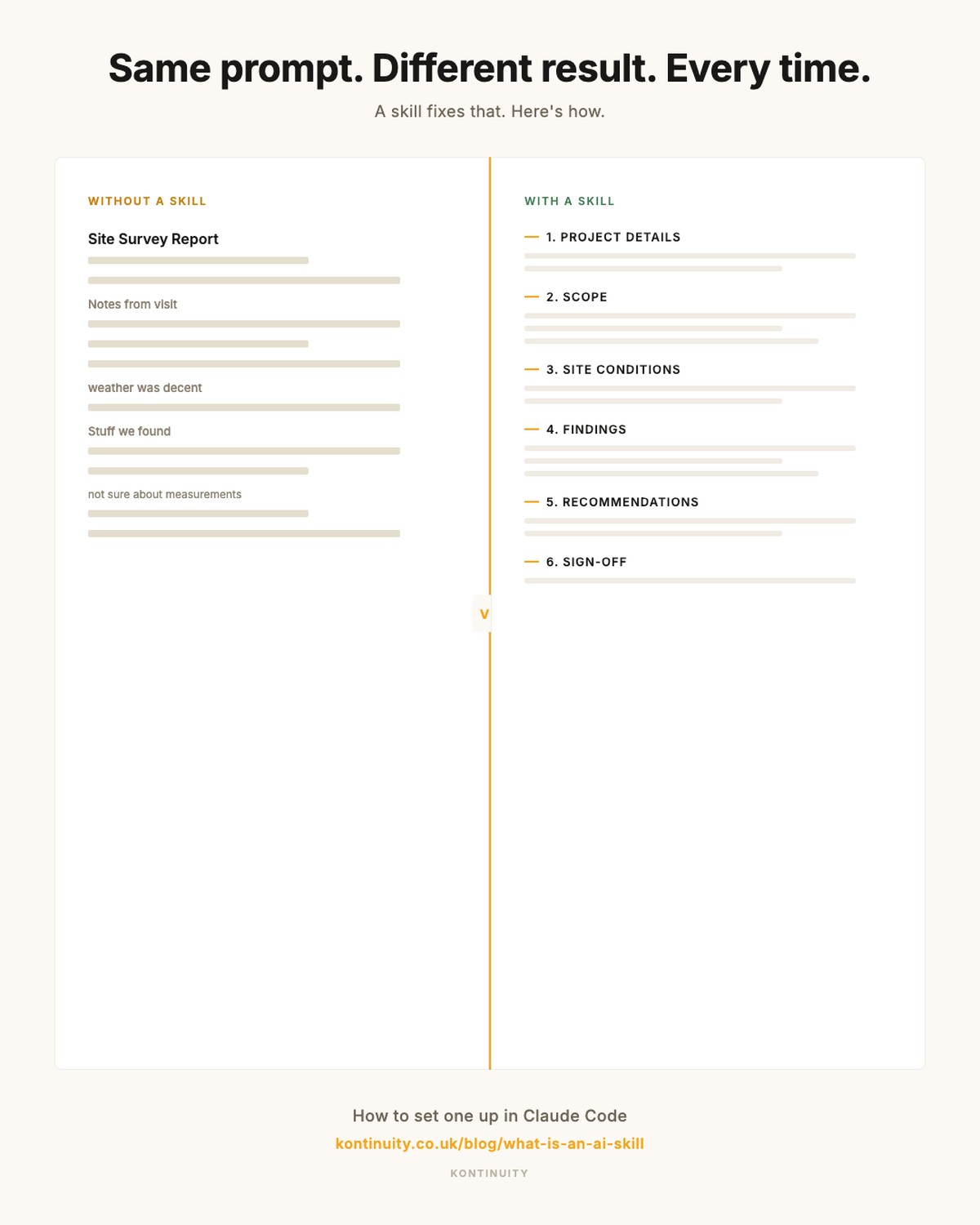
The before and after looks like this:
Without the skill: you paste survey notes, Claude writes something. Structure varies. Headings change. You spend ten minutes reformatting.
With the skill: you paste the same notes, Claude produces a structured report with all eight sections, consistent every time. You review, tweak, and send.
Don't want to write it from scratch?
I've built a skill that builds skills. You give it your task, it asks you a few questions, and generates a complete SKILL.md file for you. Drop your email at the link below and I'll send it to you.
Get the Skill Builder — kontinuity.co.uk/skill-download
Other examples
The same approach works for any repeatable task:
- Staff rosters: feed in shift patterns, availability, and coverage rules. Get a weekly roster back.
- Quote generation from emails: paste a client enquiry. Get a structured quote with line items, quantities, and totals.
- Quote generation from voice notes: paste a voice transcript from a site visit. Get a quote based on what was measured.
- Document review: upload a document. Get a checklist review against your criteria.
Each one is just a SKILL.md file with the right instructions. Write it once, use it forever.
The twist
Here's the thing. This blog post? Written using a skill.
The research, the structure, the image prompts, the fact-checking, the deployment to the website. All governed by a skill file that tells my AI agent how to write, build, and publish blog posts for Kontinuity. The same principle you've just read about, applied to the article you're reading right now.
Neo didn't learn Kung Fu by reading a manual. He had it loaded. Your AI can do the same. Write the skill once. Stop re-explaining yourself. Get consistent results.
Sources
- Anthropic: "Agent Skills". Claude Code Docs
- Anthropic: "Introducing Agent Skills". claude.com/blog/skills
- Anthropic Help Center: "Use skills in Claude". support.claude.com
Image credits
- Neo in 1950s comic book style: Generated using Google Gemini image model via OpenRouter. Author's own, inspired by The Matrix (1999, Warner Bros).
- ChatGPT interface: CC BY-SA 4.0, by Huñvreüs, via Wikimedia Commons.
- Before/after skill comparison: Author's own.
_a_zispleg_penaos_degas_kemmo%C3%B9_d%E2%80%99ar_Wikipedia_brezhonek.png)